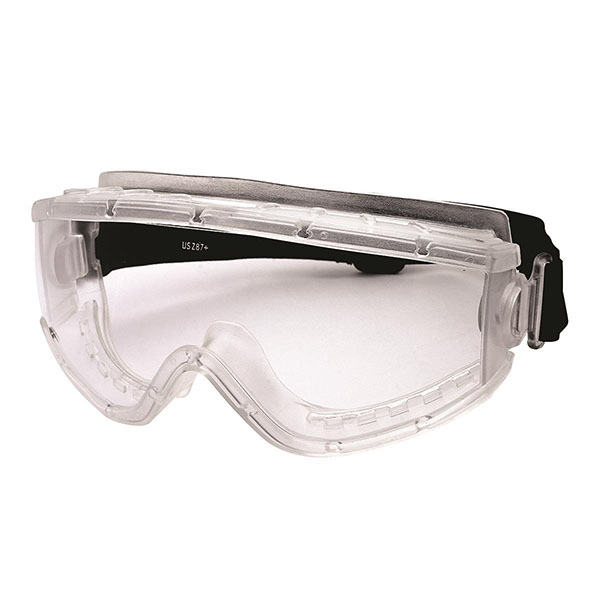
Description
Key Features:
• High-impact eye protection with superior anti-fog performance
• Replaceable hypoallergenic foam for added comfort
• Adjustable, removable strap for secure fit
• Rx-capable with insert (insert sold separately)

AFCAT USA


Lens: Clear High-Impact Polycarbonate, Blocks 99.9% Harmful UV Rays
Anti-Fog: Superior Anti-Fog System
Certification: CSA
Applications: Industrial, construction, manufacturing, and environments requiring CSA-certified high-impact, anti-fog eye protection
Key Features:
• High-impact eye protection with superior anti-fog performance
• Replaceable hypoallergenic foam for added comfort
• Adjustable, removable strap for secure fit
• Rx-capable with insert (insert sold separately)
| Unit Type | Each – 1, Box – 6, Case – 144 |
|---|
For exact availability, please contact your sales rep or customerservice@afcatusa.com.
| Item No | Lakeland | Main WHS |
|---|---|---|
| S-12E90701 N/A | 0 | 242 |
Talk to our specialist
AFCAT's team of product specialists are available to answer any question you might have about AFCAT's product offerings. Have a question? Don't guess, just ask.

On each item page, if the item has documentation, scroll down just below the “Add to Cart” button and you will see 3-5 buttons named Description, Additional Information, Documentation, Pickup Locations, and Inventory. Click the Documentation button if available to see the product documents.
To sign up for an AFCAT Account, follow these steps: 1: Go to the Home Page of the AFCAT website. 2: In the right top corner you will see a button saying “Join AFCAT Pro”. Click this button. 3: Once you click the Join AFCAT Pro button, you will be on the Join AFCAT Pro page. 4: Scroll down until you see “Apply To Join AFCAT Pro” Fill out the “Get In Touch With Us” sections and send message. 5: AFCAT customer service will send you the forms and documents to get your account setup after reviewing your message.
AFCAT Offers a quick and convenient way to combine your most frequently purchased items into one consolidated place with AFCAT “Quick Orders”. To add an item to your Quick Orders, go to the item that you would like to add and scroll down on the page until you see “Add to Cart” and “Add To Quick Order”, if you “related products” you’ve scrolled too far. Pick the same, color, and quantity of product you want to add to your quick order and then click the “Add To Quick Order” button. To access your Quick Order Page, click the “Quick Order” button in the top options ribbon right below the item search bar.
AFCAT allows you to see your order history and Invoices through our website. Just follow these steps: 1: Sign in to your AFCAT account. 2: Go to the AFCAT “Online Store”. 3: In the top bar click “Order History”. 4: Find the order that you would like to pay and click “Invoice”.
AFCAT offers Free Freight for orders of accessory items that total over $2,500. AFCAT DOES NOT offer Free Freight for order of insulation products. For freight rates on insulation products, please contact your sales representative.